A newsroom ticker,
running on your Mac.
XTicker floats a live ticker above your Dock or flush below the menu bar — pick an LED matrix, an iTunes‑style brushed‑metal LCD, or a classic Mac OS 9 Control Strip. Stocks, headlines, sports scores, your calendar, weather, Now Playing, and a dozen more sources, scrolling by in real time.
Pick a theme, not a compromise.
Every theme runs the same fifteen sources — switch anytime from the Display tab, no restart required.

A dot‑matrix grid with a faint unlit background — each source colored red, green, yellow, or light‑blue.

Brushed metal and a backlit green LCD, straight out of the click‑wheel era — with a play button of its own.

Bordered, compact status modules in the classic Control Strip style — one bracketed reading per source.
Everything the app actually does.
Three themes, five placement options, and fifteen live sources — each with its own LED color, refresh rate, and a switch to turn it off.
Three ticker themes
An LED matrix with a faint unlit dot grid, a brushed‑metal iTunes LCD, or a compact Mac OS 9 Control Strip look. Each source gets its own red, green, yellow, or light‑blue color.
Placement & sizing
Above the Dock or flush below the menu bar, in small, medium, or large, at full display width. System, Light, or Dark Studio appearance.
Menu bar control
Press Control–Option–T to show or hide the ticker from any app. Hide for 10 Minutes, or go Menu Bar Only and keep XTicker out of the Dock entirely.
Stocks & ETFs
Up to twelve US symbols with price and percentage change, labeled DELAYED when appropriate. An optional market‑hours switch respects holidays and early closes.
Headlines, RSS & your feeds
BBC, NPR, and The Guardian across nine topics, interleaved and deduplicated — plus up to five of your own named HTTPS RSS or Atom feeds.
Calendar
Upcoming events from Apple Calendar, including Google calendars already synced to it. Pick one calendar or all, a 1–14 day look‑ahead, all‑day events optional.
Now Playing
Your current Spotify or Apple Music track, read locally through Apple Events. Refreshes every six seconds while something's playing.
Sports scores
NFL, NBA, MLB, and NHL — live scores or upcoming games from ESPN's public scoreboard, filterable down to the teams you follow.
Sun, moon & tides
Sunrise, sunset, moonrise, moonset, and phase from the U.S. Naval Observatory. Next high and low tide from a nearby NOAA station.
Planes overhead
Up to three nearby aircraft with callsign, ground speed, and distance — origin and destination shown when a matching route is found.
Mac activity
CPU load, RAM use, battery charge and state, thermal pressure, and an optional local IP address — all read straight from macOS.
Birthday Mode & On This Day
A celebratory message with cake, balloon, and confetti LED glyphs on the date you set. Or one historical event pulled from Wikipedia, once per day.
Fifteen live sources for almost any Mac desk.
Each source is switched on independently, colored by LED, and refreshes on its own schedule — from every six seconds to once a day.
See it running.
The Studio window configures every source and how the ticker looks; the ticker itself is what actually floats over your desktop.

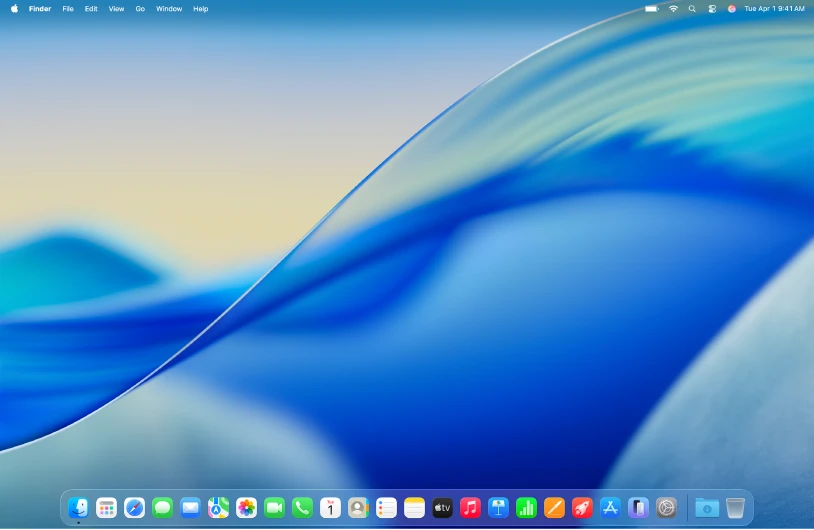
Not a mockup — this is XTicker running above the Dock on an actual Mac, right alongside the desktop widgets.
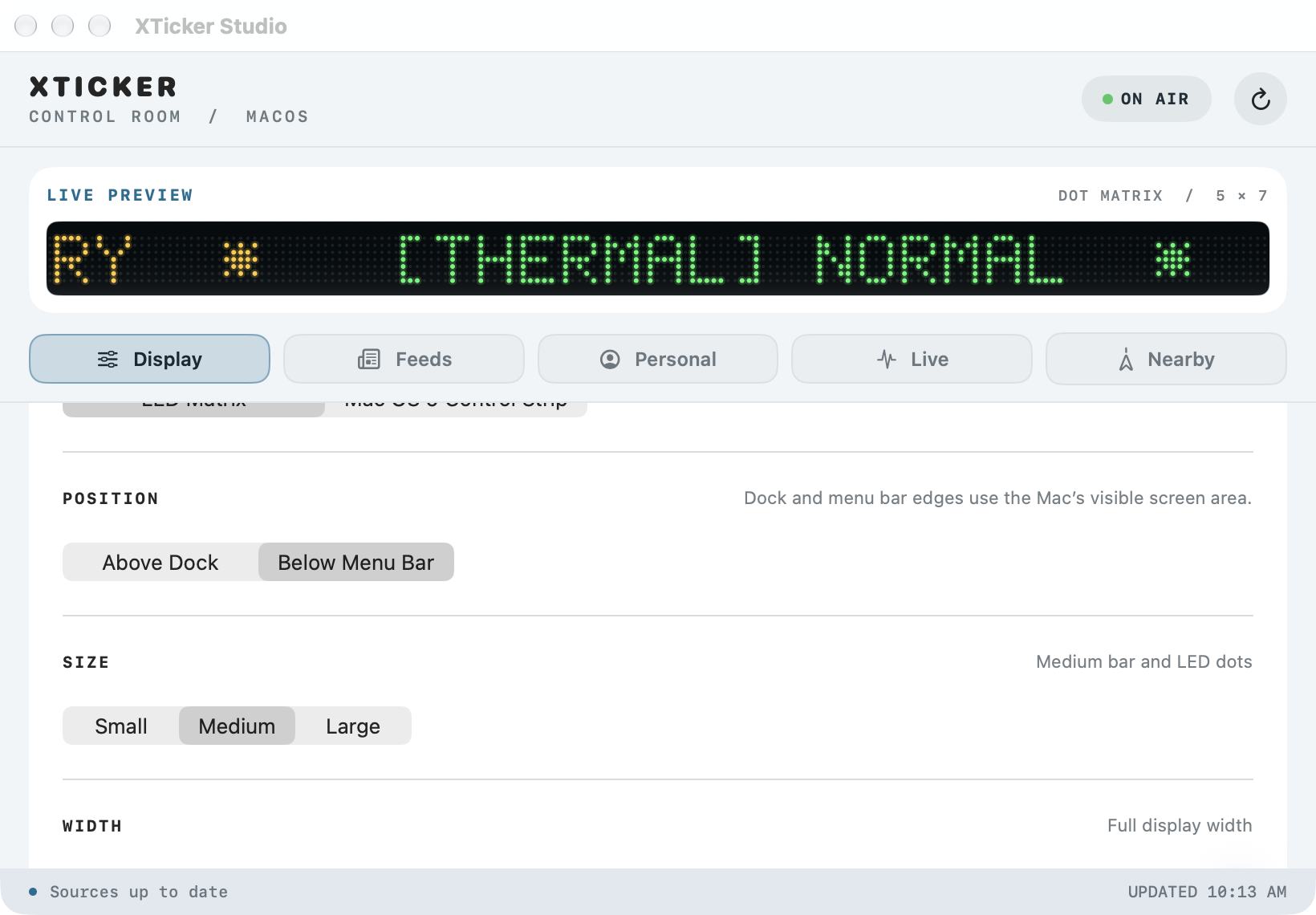
Theme, position, size, and width — with a live preview of the ticker right at the top of the window.
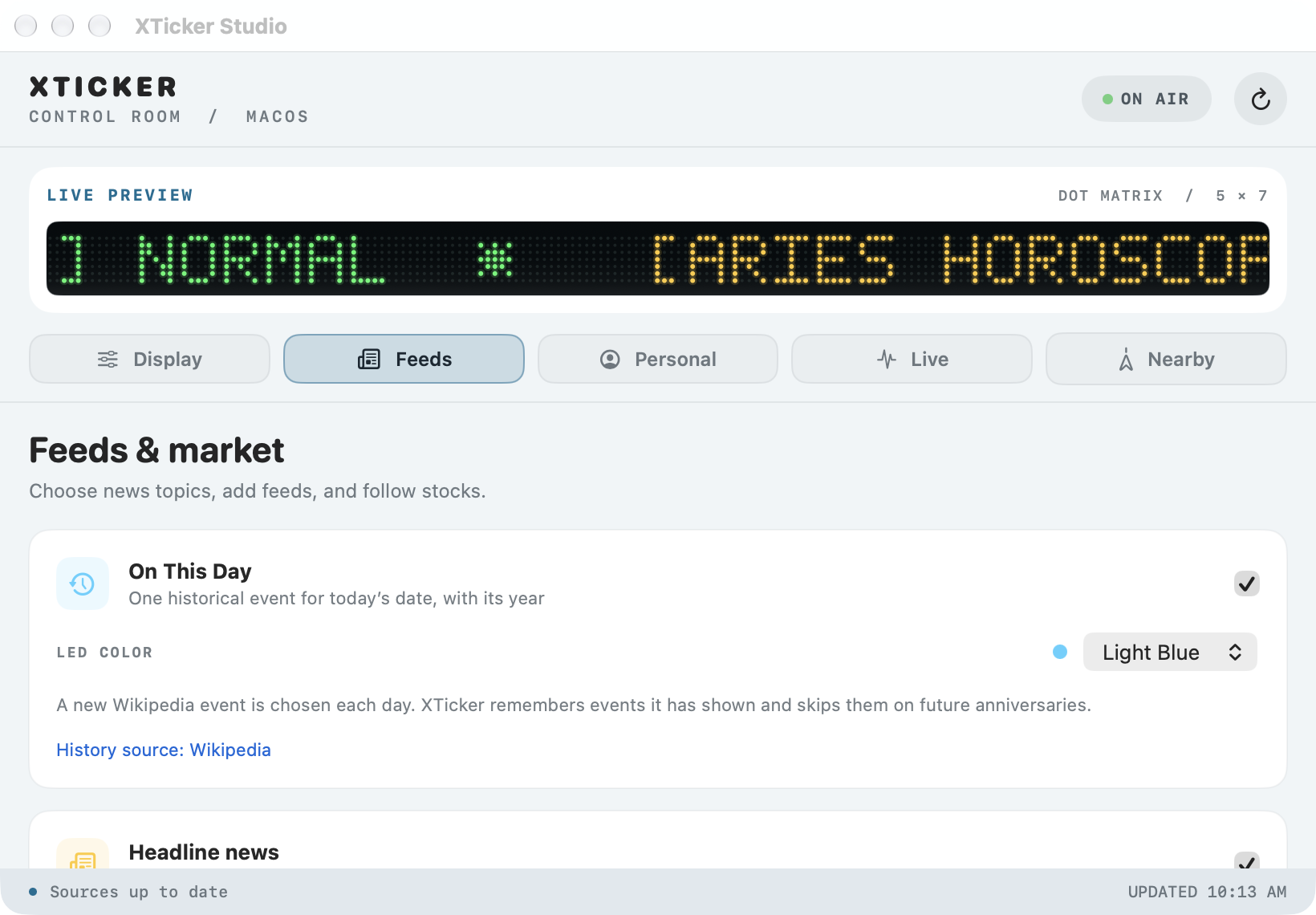
Pick publishers and topics for headline news, then layer on your own RSS or Atom feeds and stock symbols.
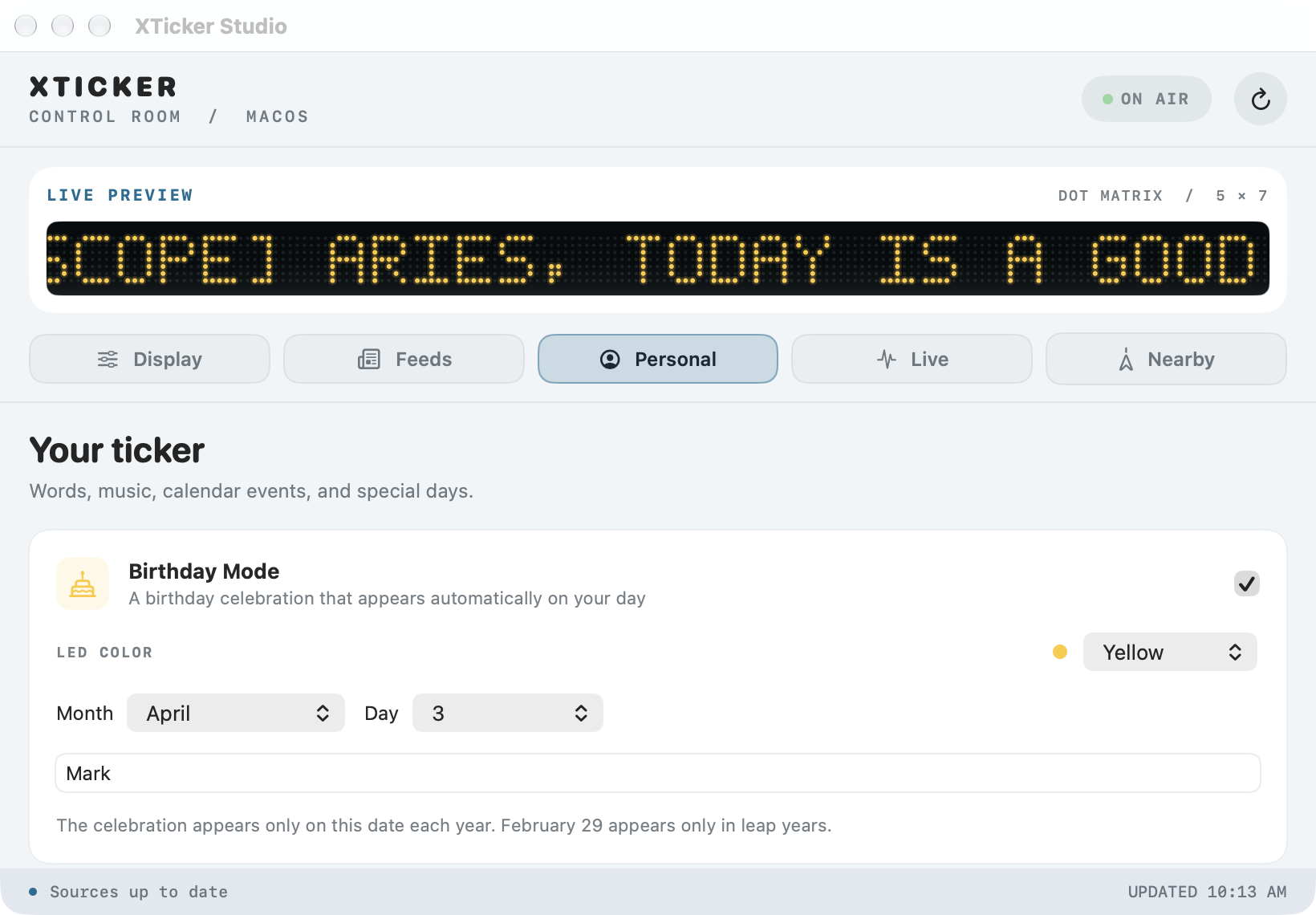
Birthday Mode, custom one‑line messages, Now Playing, and your calendar — the sources that make it feel like your Mac.
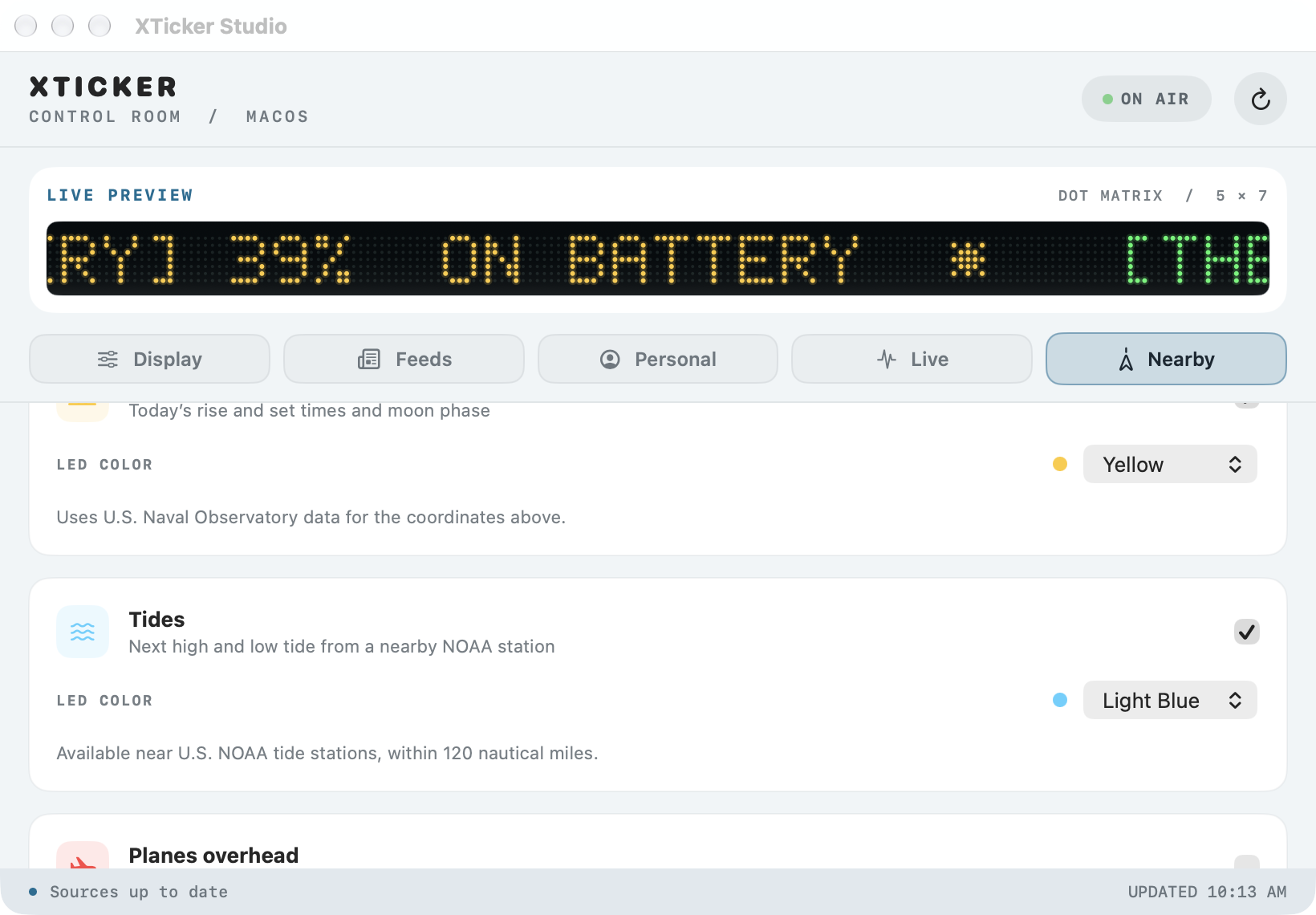
Sun & moon, tides, and planes overhead — all keyed off the coordinates you set, or your current location.
Built for a Mac that's always on.
Whatever else is on screen, the ticker keeps running underneath it.
Heads‑down work
Keep stocks, headlines, and your next meeting in view without a browser tab open — a thin strip above the Dock, out of the way of everything else.
Streaming & screen shares
The LED matrix theme reads clearly on camera and in screen recordings — sports scores or Now Playing running the whole time you're live.
Multi‑monitor desks
Full display width, placed above the Dock or below the menu bar on whichever screen you want it — a dedicated status line for a second display.
Minimal, menu‑bar‑only setups
Turn on Menu Bar Only and XTicker disappears from the Dock entirely, surfacing Show Ticker, Settings, and About from one icon.
On air in about a minute.
Download the DMG and drag XTicker.app onto the Applications folder shown inside the disk image.
Launch XTicker. The Studio window and a floating ticker open automatically — pick a theme and turn on the sources you want.
Close Studio any time. The menu bar icon keeps Show Ticker, Refresh, and Settings within reach, and checks for updates on its own.
A real Mac app, nothing hidden.
Signed & notarized
Built and notarized through Apple's own process, so it opens like any other Mac app — no Gatekeeper warnings.
macOS Tahoe & Golden Gate
Runs on current macOS Tahoe releases and is already working on the new macOS Golden Gate.
Stays up to date on its own
Sparkle checks for updates automatically and verifies both the signed appcast and the signed update archive before installing anything.
The ticker, answered.
Does XTicker send my data anywhere?
Calendar events, Mac activity, and Now Playing are read locally through macOS and never leave your Mac. Sources like stocks, sun & moon, tides, and planes overhead send only what's needed — a symbol, coordinates, or a station ID — to the public provider named for that source.
Can I run more than one source at a time?
Yes — every source in the Studio window has its own switch. Turn on as many or as few as you like; items from active sources interleave on the ticker.
What happens if a source can't be reached?
The last successful items stay visible on the ticker, and the Studio window shows an error for that source so you know something needs attention.
Does it work with more than one calendar?
Yes, including Google calendars you've already synced to Apple Calendar. Choose one calendar or all of them, and a look‑ahead window from 1 to 14 days.
How does XTicker's tip-supported pricing work?
You can download and use XTicker without a required payment, account, or subscription. If you like the software, please buy me a coffee. Tips through that platform support continued development.